Reading Time: 18 min read
Everyone tells you to sort out your SEO. Install the plugin, tweak the title, get the lights green. Hardly anyone tells you what it’s actually for.
So if you’ve ever typed what is SEO? into a search box and come away more confused, you’re in good company. Much of what ranks for that question is written for people who already know the answer. It’s a bit like a phrasebook written in the language you’re trying to learn.
This guide fixes that. By the end, you’ll know how a search engine finds, ranks and shows a page. You’ll also see what’s changed now that answers show up right there on the results page, and what to do on your own site this week.
In this guide, you’ll learn:
- What SEO is, in a definition short enough to remember
- How search engines find, rank and show your pages
- Why ranking no longer guarantees a visit, and what to do about it
- Which free tools to start with, and when a paid one makes sense
- A first-week plan, plus a checklist to score one of your own pages
About the Author: Pete Williams has been building websites since around 2009 and runs Internet Habits.
Contents
- What Is SEO?
- How Search Engines Work (Crawl, Index, Rank)
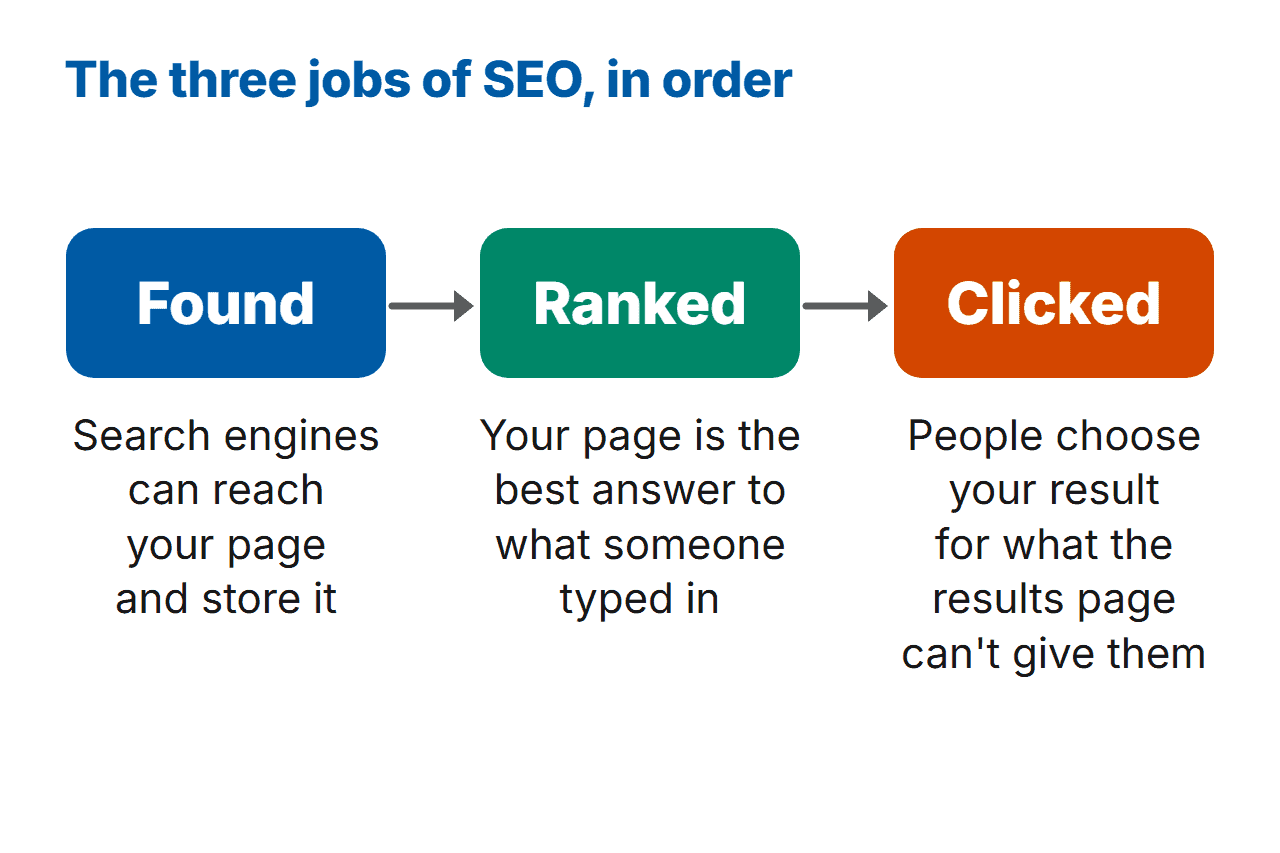
- Found, Ranked, Clicked: The Three Jobs of SEO
- Found: Make Sure Search Engines Can Reach Your Site
- Ranked: Be the Best Answer to the Search
- Clicked: Earn the Visit When Search Gives a Short Answer
- How Long SEO Takes (and What It Really Costs)
- Common SEO Mistakes Beginners Make (and the Fix for Each)
- Your First-Week SEO Plan
- The SEO Tools You Actually Need
- Frequently Asked Questions
- So, Which of the Three Jobs Comes First for You?
What Is SEO?
SEO stands for search engine optimisation. It just means improving your website so more people find it through the free results on search engines such as Google or Bing. In practice, you want three things: search engines can reach your pages, they can tell what each one’s about, and people would rather click yours than the others.
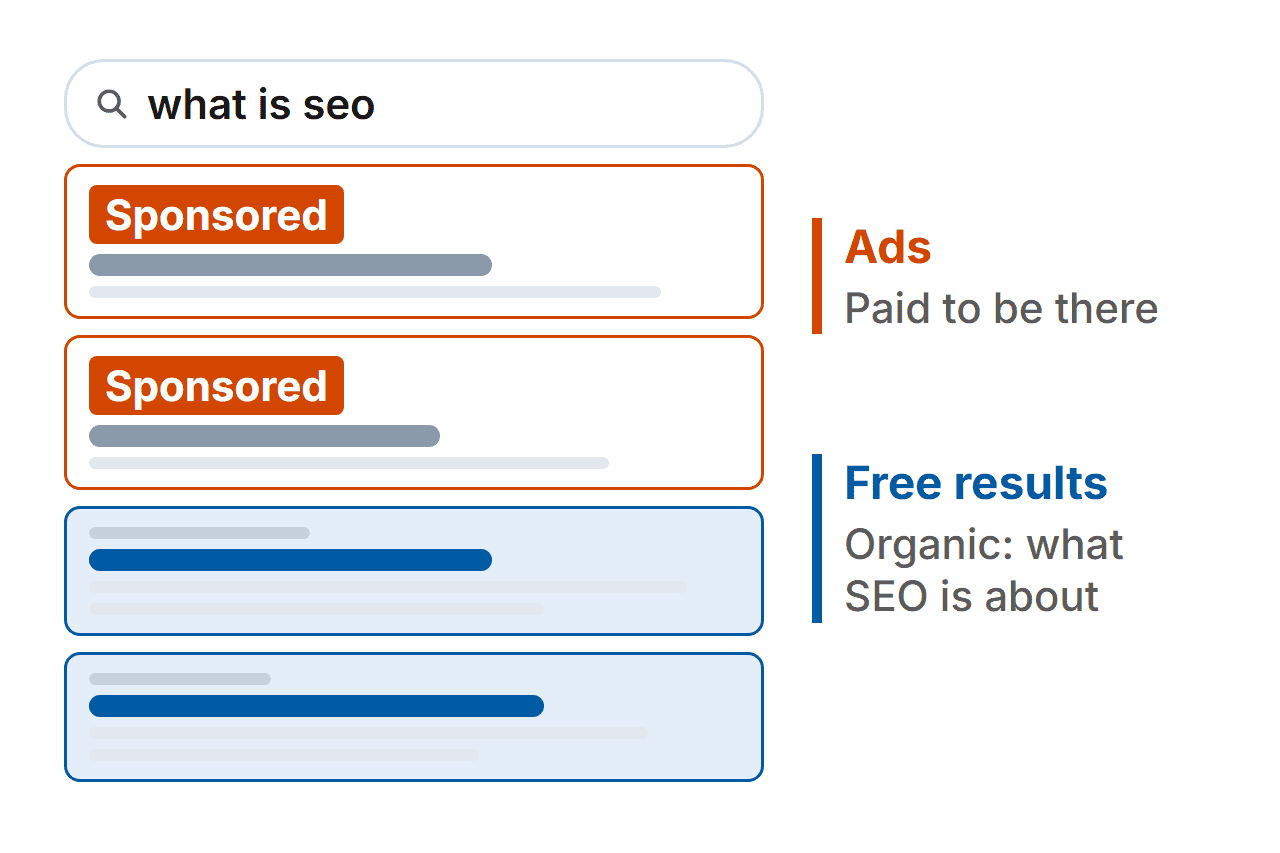
The results you’re after are the free ones. People in SEO call them organic results. Ads are different: you pay to be there.
Why bother? Because search is still where a huge number of website visits start. Two research firms, SparkToro and Datos, looked at the 170 sites that pass the most visitors on to other websites in the US. Close to two-thirds of those visits, 63.41%, came from Google.com.
That’s US data from January 2023 to January 2024, and it only counts those 170 sites. So it gives you a sense of the scale, not an exact share of the whole web.
There’s a catch:
Being found and being visited aren’t the same thing any more. I’ll show you the numbers further down, along with what to do about it.
How Search Engines Work (Crawl, Index, Rank)
Before anyone sees your page, a search engine has to do three things. Your page can get stuck at any of them. I’ll keep this short, because nobody has ever finished a chapter on the history of search engines and felt better about their website.
I’ll use Google for the examples. In September 2026, it handled 89.94% of the search traffic StatCounter tracked worldwide, and it’s open about how its search works. Bing goes through the same steps. Its webmaster guidelines explain how it finds pages, stores them and decides what to show, so the work in this guide helps you there too.
Think of a search engine as a library that never closes. Google’s own guide to how Search works describes three stages:
Crawling. Google sends out programs called crawlers to find pages, mostly by following links from one page to the next. If nothing links to your page and nobody’s told Google it exists, the crawlers may never turn up.
Indexing. Google stores the pages its crawlers find in a huge database called the index. If your page isn’t in it, it can’t show up in results.
Serving. When someone searches, Google looks through the index and pulls out the pages that match what they’re looking for. This is where ranking happens: Google decides which pages go first.
Ranking is the stage everyone obsesses over. Google weighs up a lot of signals, and it keeps tweaking them. Several times a year, it makes a big change to how it ranks pages. Google calls these core updates, and lists each one on its Search Status Dashboard.
Nobody outside Google knows the exact weighting, and that includes me.
The good news is that a search engine’s business depends on people finding useful results. So making your page useful to the person searching is rarely wasted effort.

Found, Ranked, Clicked: The Three Jobs of SEO
SEO comes down to three jobs, and they happen in order.
Let me explain:
- Found. Search engines can reach your page and store it. Without this, nothing else counts.
- Ranked. Your page is the best answer to what someone typed in.
- Clicked. People choose your result because it offers something they can’t get from the results page alone.
Other guides split SEO into technical, on-page and off-page. Those labels are still useful, and each one fits inside the three jobs. Technical SEO is mostly about getting found. On-page work and links from other sites are mostly about getting ranked. Titles, descriptions and your own experience are mostly about getting clicked.
The free checklist later in this guide works in the same order. It starts with the technical checks, then moves on to your page and its content. For the clicked part, it checks your meta description. That’s the short summary that shows under your result.
Found: Make Sure Search Engines Can Reach Your Site
If search engines can’t reach a page, it doesn’t exist as far as search is concerned.
The quickest way to see what Google has found is Google Search Console. It’s free, and it shows you which of your pages are in the index and which searches bring them up. If you’ve never opened it, that’s your first job. Bing has its own version, called Bing Webmaster Tools.
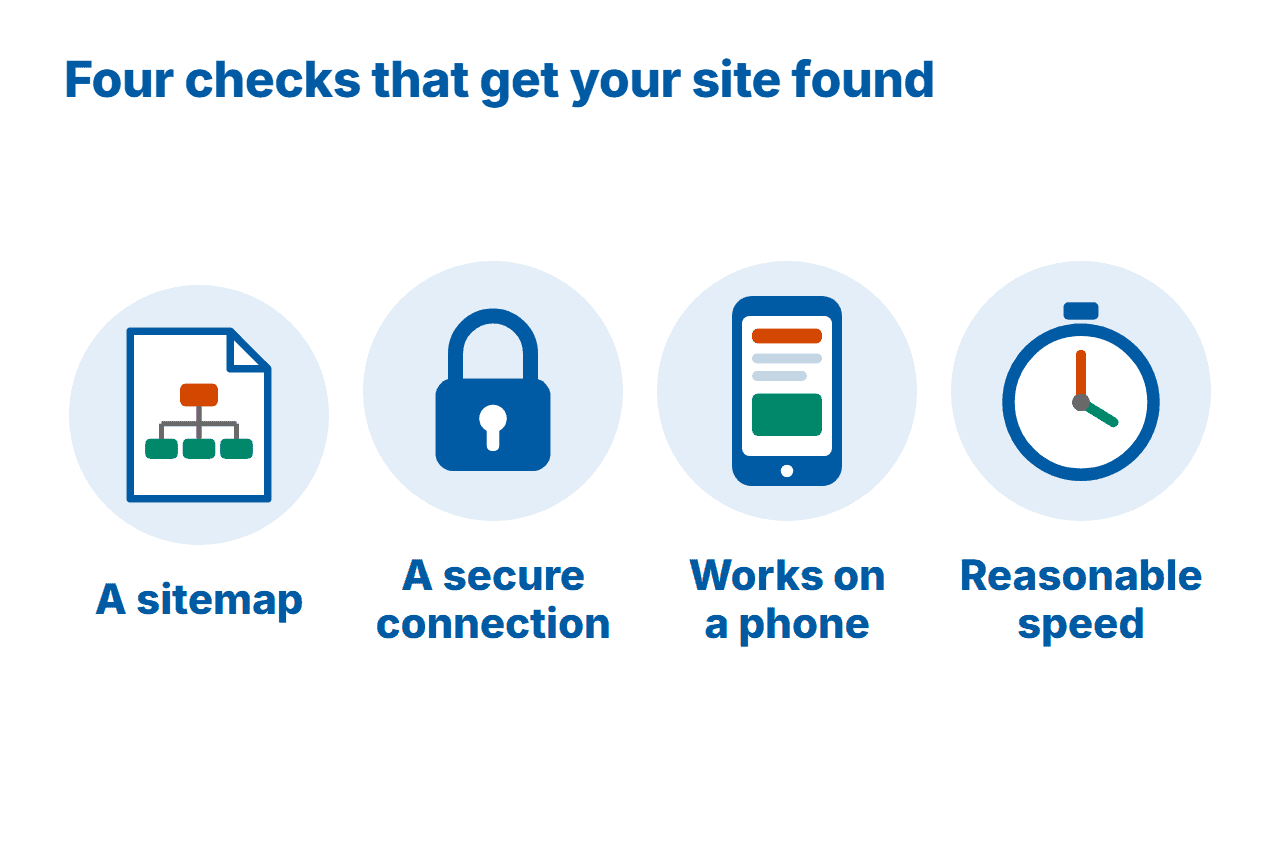
To get found, there are four basics to sort out:
A sitemap. This is a file that lists your pages, and you submit it in Search Console. On WordPress, an SEO plugin will usually create one for you. On Internet Habits, I use the free version of Yoast SEO.
A secure connection. That’s the padlock in your browser’s address bar, and the “https” at the start of your web address. Back in 2014, Google said a secure connection would count a little towards rankings. In its own words, only a “very lightweight” signal. In internet years, that’s roughly the Stone Age, so don’t read too much into it now. Either way, visitors expect to see the padlock.
A site that works on a phone. Google looks at the phone version of your site when it stores and ranks your pages. That matches how people browse, too. In September 2026, 58.99% of the page views StatCounter tracked worldwide came from phones. Open your site on your own phone and check what a visitor sees.
Reasonable speed. A slow page frustrates visitors before a search engine even comes into it. My guide on how to speed up your WordPress site covers the fixes.
One more thing worth knowing: a setting left over from when you built your site can tell search engines to stay out altogether. The checklist further down this guide shows you where to look.
An SEO plugin handles a lot of this, but not everything. It can’t make a slow site fast, and it can’t write your titles for you.
Ranked: Be the Best Answer to the Search
What does the person searching actually want? Answer that before you write a word.
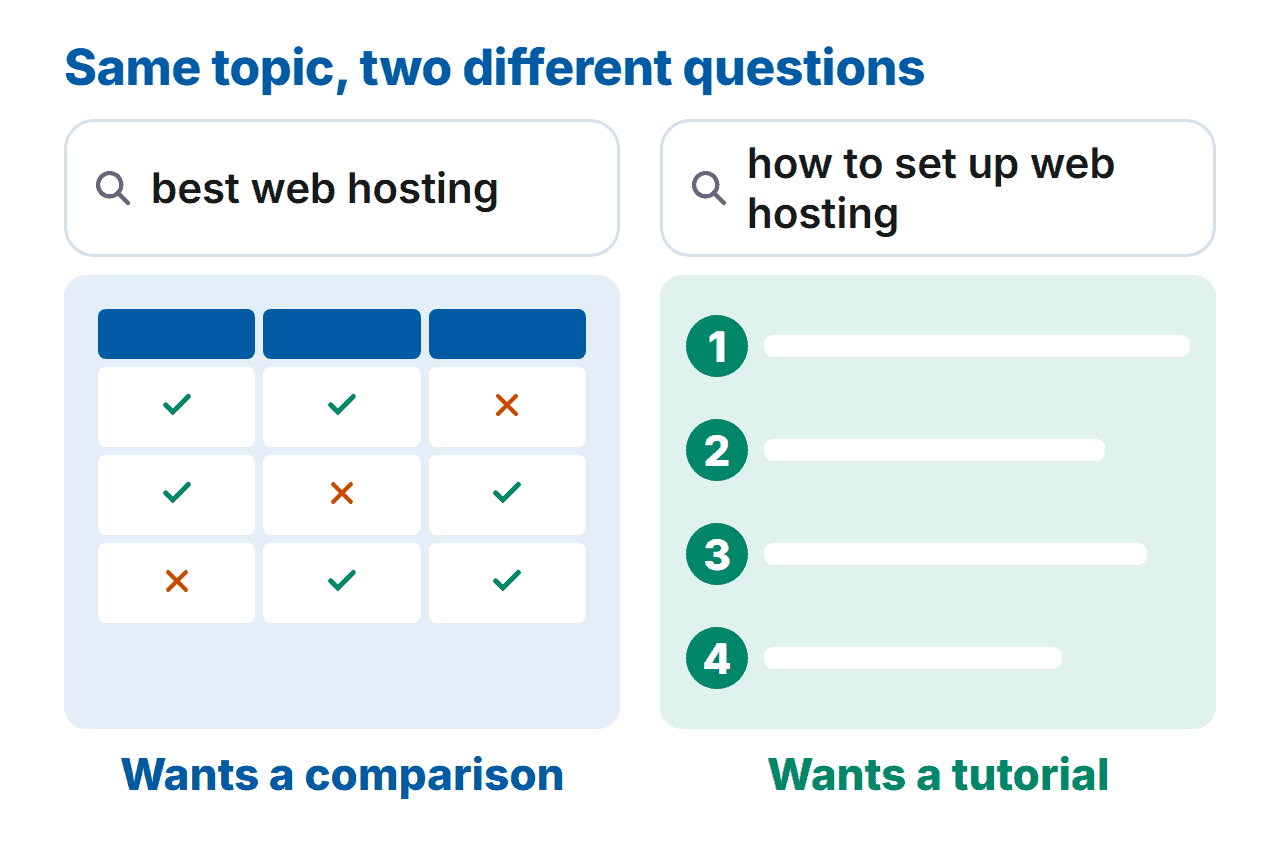
Someone who searches “best web hosting ” wants a comparison. Someone who searches “how to set up web hosting ” wants a tutorial. A brilliant tutorial aimed at the first search loses to a so-so comparison, because it answers a question nobody asked.
That’s search intent, and it’s most of what keyword research is for. Keyword research just means finding the words your reader types.
My own speed guide is a good example. I kept the American spelling, “optimization”, because I thought it might be what people search for. Search Console later backed that up. A large share of the searches that page showed up for used the US spelling. Almost none used the British one. Use the words your reader actually types, even when they aren’t the ones you’d pick.
To find those words, try Google Keyword Planner. It’s free to use, though Google asks you to set up an Ads account with billing details first. Typing your topic into Google and noting what it suggests costs nothing at all.
Once you know what people are searching for, the on-page basics are a short list:
- Title: put your main keyword in it, near the start, where it reads naturally.
- Opening: say what the page covers in the first paragraph.
- Headings: one main heading, then subheadings that tell the story on their own.
- Links: point to your own related pages and to sources worth reading.
- Images: describe each one in its alt text, for someone who can’t see it.
If a sentence reads badly with the keyword in it, rewrite the sentence.

Links from other sites work like votes. When plenty of trustworthy sites point to a page, it looks like a page worth showing. Getting those links is also the hardest part of SEO, because it’s out of your hands. The honest way to earn them is a page so useful that people link to it without being asked.
Clicked: Earn the Visit When Search Gives a Short Answer
Ranking used to be the finish line. Now there’s one more hurdle: a person has to choose you.
SparkToro looked at US Google searches in the first four months of 2026, and 68.01% of them ended without a click. That comes from a panel of US web users and leaves out Google’s mobile app, so it’s a rough guide rather than an exact count.
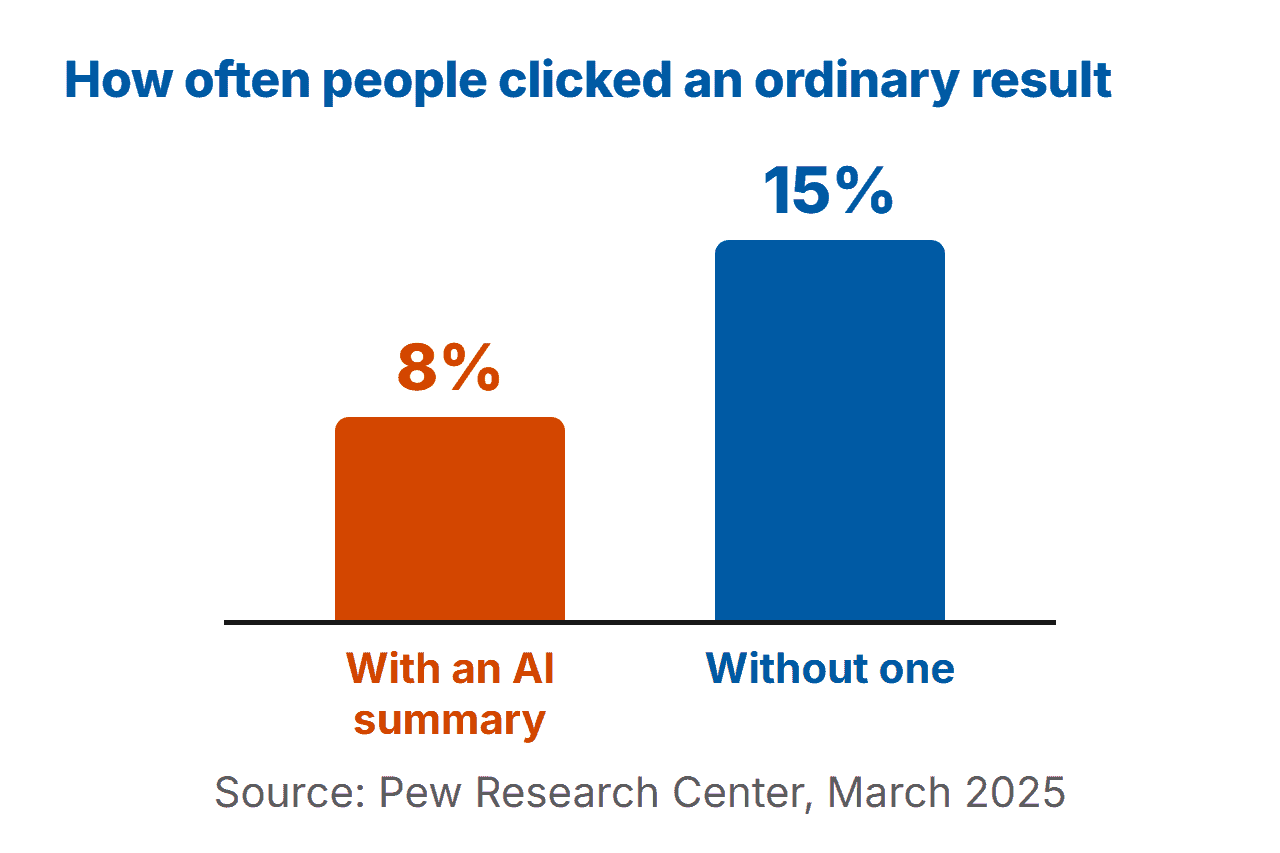
Pew Research Center measured something narrower. It followed 900 US adults as they browsed in March 2025. Between them, that was 68,879 searches. When Google put an AI summary at the top, people clicked through to an ordinary result 8% of the time. Without a summary, it was 15%, nearly twice as often.
Those two figures measure different things, so don’t lump them together. Both point the same way, though. When Google shows answers on the results page, fewer people click through to any result.
That’s why:
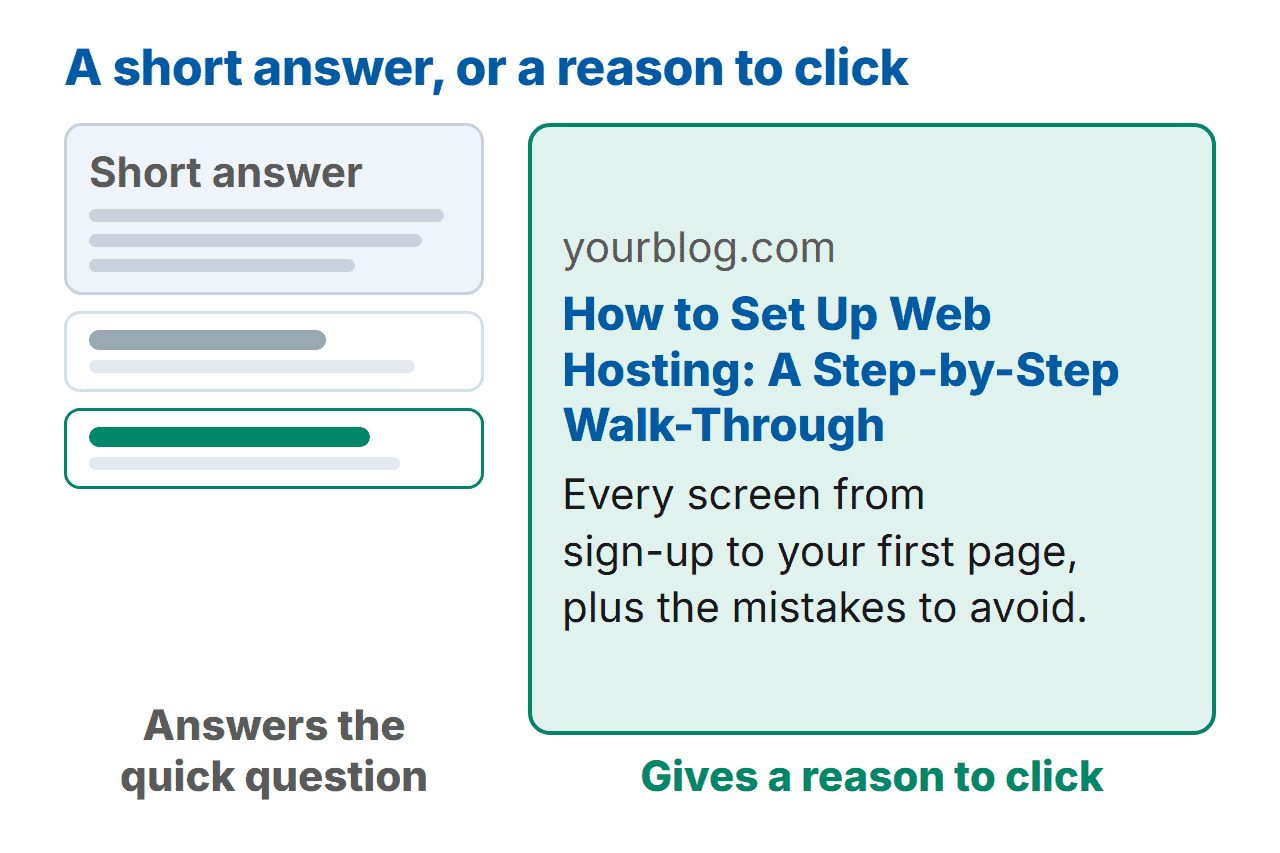
Your title and description are now your pitch, along with anything only you can show. A short answer can define a term. It can’t show what you tried, what went wrong and what worked.
My bet? When people want more than a quick fact, they’ll keep clicking through. Think comparisons, walk-throughs and someone’s real experience. So give people a reason to click that a summary can’t match:
- A specific promise in the title, such as a walk-through, a comparison or a result you actually have.
- A description that finishes the pitch. It won’t help you rank, but it helps people decide whether to pick you over the result above.
- Evidence from your own site: screenshots, a mistake you made, what your analytics showed you.
Sound like more work? It is, a bit. It’s also the part a copy-and-paste page can’t do.
How Long SEO Takes (and What It Really Costs)
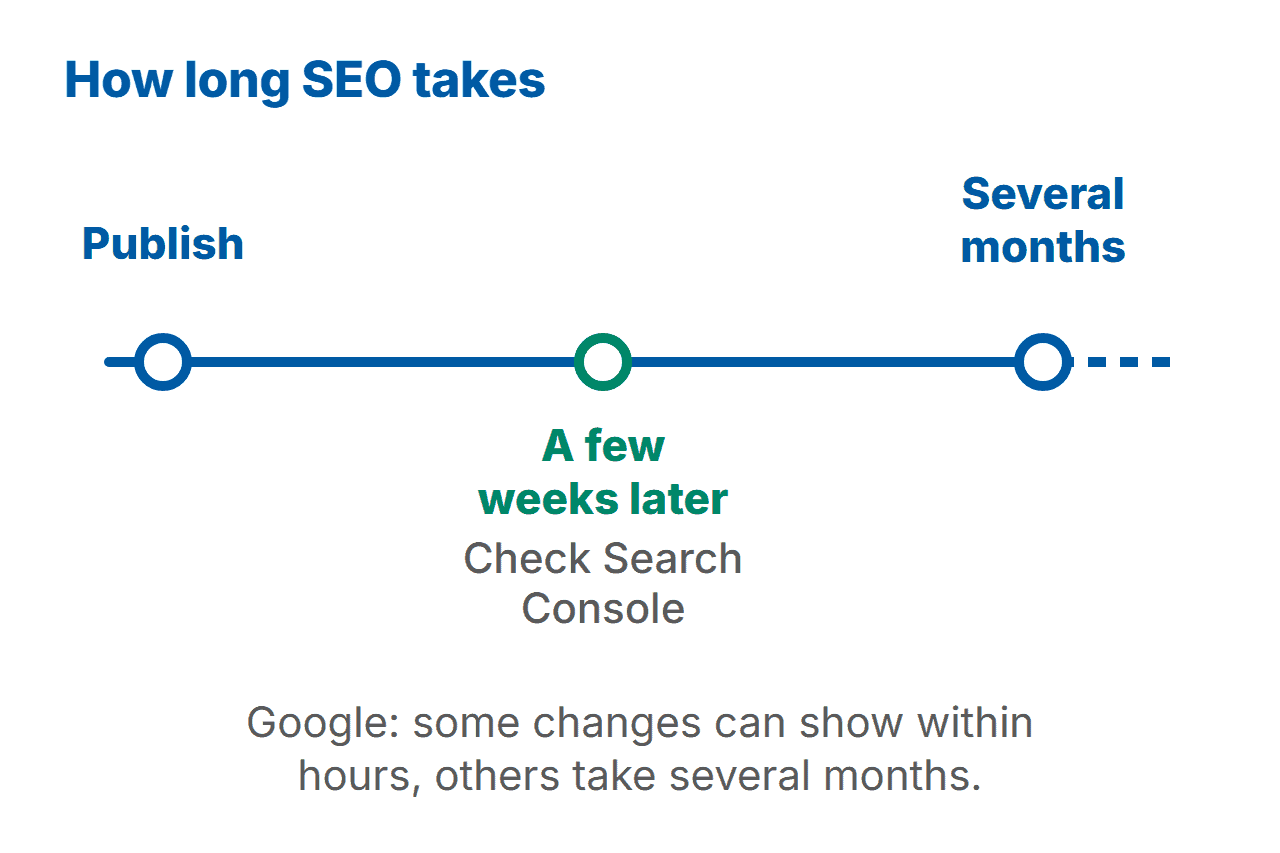
Google’s own answer is more honest than most guides: it depends.
Its SEO Starter Guide says: “Some changes might take effect in a few hours, others could take several months.” It also says you’ll usually need a few weeks to tell whether your changes have helped.
So a quiet first few weeks isn’t a failure. It’s part of the process. A brand-new site has no track record yet, so I’d expect it to take longer. That’s my own view, though, not Google’s.
The cost is mostly time. It takes time to write pages worth clicking, and more time waiting before you can tell whether they’ve worked. Search Console, PageSpeed Insights, Keyword Planner, an SEO plugin and an analytics tool are all free to use. Paid tools and paid help are optional, and their prices change too often for me to quote any here.
I can’t promise how long yours will take, and nobody honest can.
Common SEO Mistakes Beginners Make (and the Fix for Each)
Most of these come from doing something sensible at the wrong moment. Every one is fixable.
1. Going after keywords that are far too competitive. A brand-new blog trying to rank for “email marketing” is up against the biggest names in the field. The fix: target a narrower phrase, such as “email marketing for handmade jewellery shops”. You’ll be up against fewer sites, and the people who find you will be more likely to want what you’re writing about.
2. Writing for the plugin instead of the person. Stuffing a keyword into every sentence makes a page tiresome to read, and chasing green lights in an SEO plugin can push you into doing exactly that. The fix: write naturally, and treat the plugin as a prompt rather than a grade.
3. Ignoring search intent. A page can be excellent and still answer the wrong question. The fix: search your target phrase and look at what kinds of pages come up. If they’re all comparisons, a tutorial is the wrong kind of page.
4. Expecting overnight results. Judging a page after a couple of days tells you very little, and it’s a common reason people give up. Refreshing Search Console every hour doesn’t help either. It’s the SEO version of staring at the kettle. The fix: set a date a few weeks ahead, publish in the meantime, and look at Search Console on that date.
5. Forgetting phones and speed. A page that’s slow or awkward on a phone loses visitors, whatever its ranking. The fix: load a page on a phone, then run it through Google PageSpeed Insights.
Your First-Week SEO Plan
Yes, you can do all of this in a week, in an hour or two a day. No, you won’t be on page one by Friday.
If you haven’t built a site yet, start with my step-by-step guide, How to Start a Blog, then come back. Otherwise, here’s the plan.
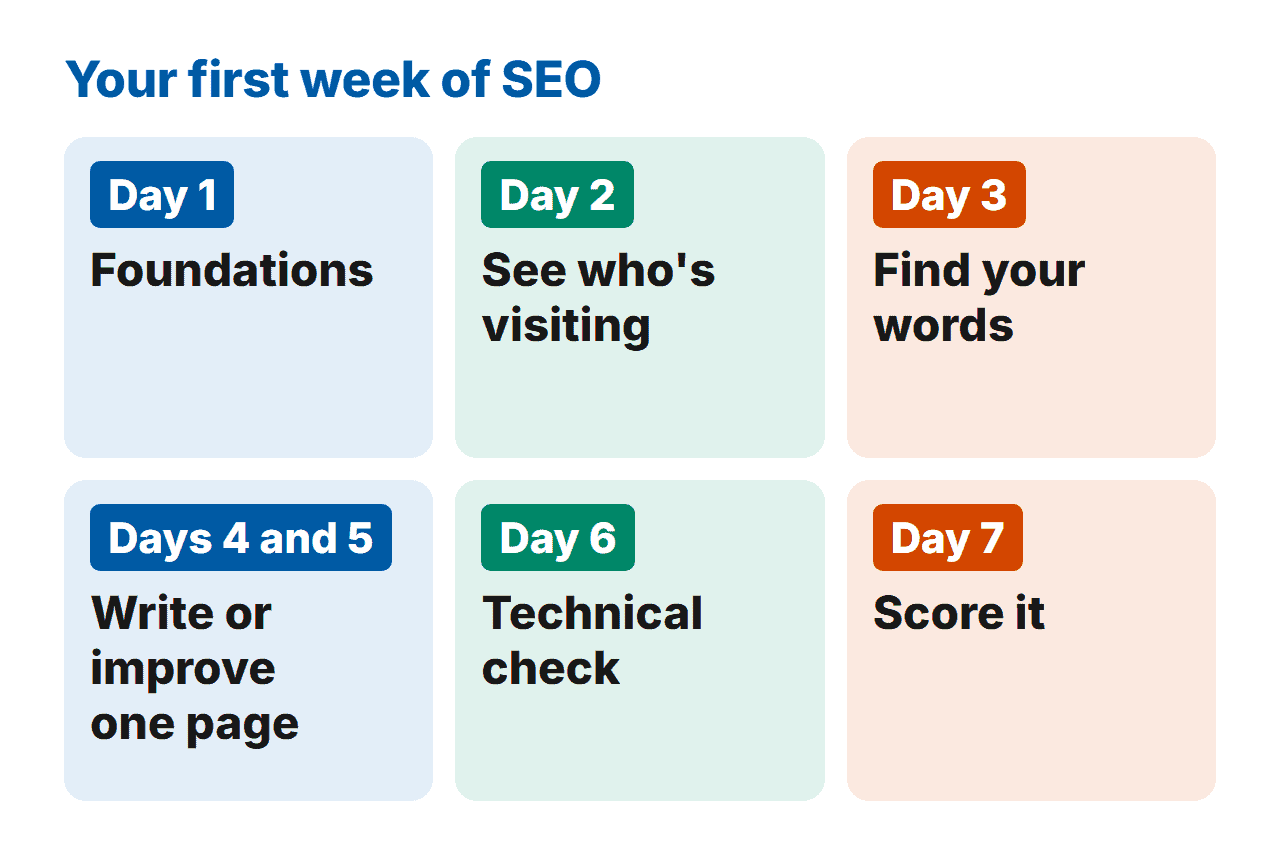
Day 1: foundations. Got an hour tonight? Install an SEO plugin if you’re on WordPress. Set up Search Console and submit your sitemap. Check that your site shows the padlock.
Day 2: see who’s visiting. Add an analytics tool. On Internet Habits, I use the WordPress plugin Independent Analytics (Ad). If your site isn’t on WordPress, Google Analytics does the same job.
Day 3: find your words. Use Keyword Planner, or type your topic into Google and note the suggestions. Write down ten topics, then pick the narrowest.
Days 4 and 5: write or improve one page. Put your main keyword in the title and near the start, add a few internal links, and write a meta description that gives someone a reason to click.
Day 6: technical check. Run the page through PageSpeed Insights, open it on your phone, and look in Search Console for anything Google flagged.
Day 7: score it. Check the page against a short list. That’s what the checklist below is for.
Miss a day? Don’t start again from Day 1. Pick up at the next one.
Once that’s done:
Choose another page and repeat the loop. One page a week is plenty to begin with.
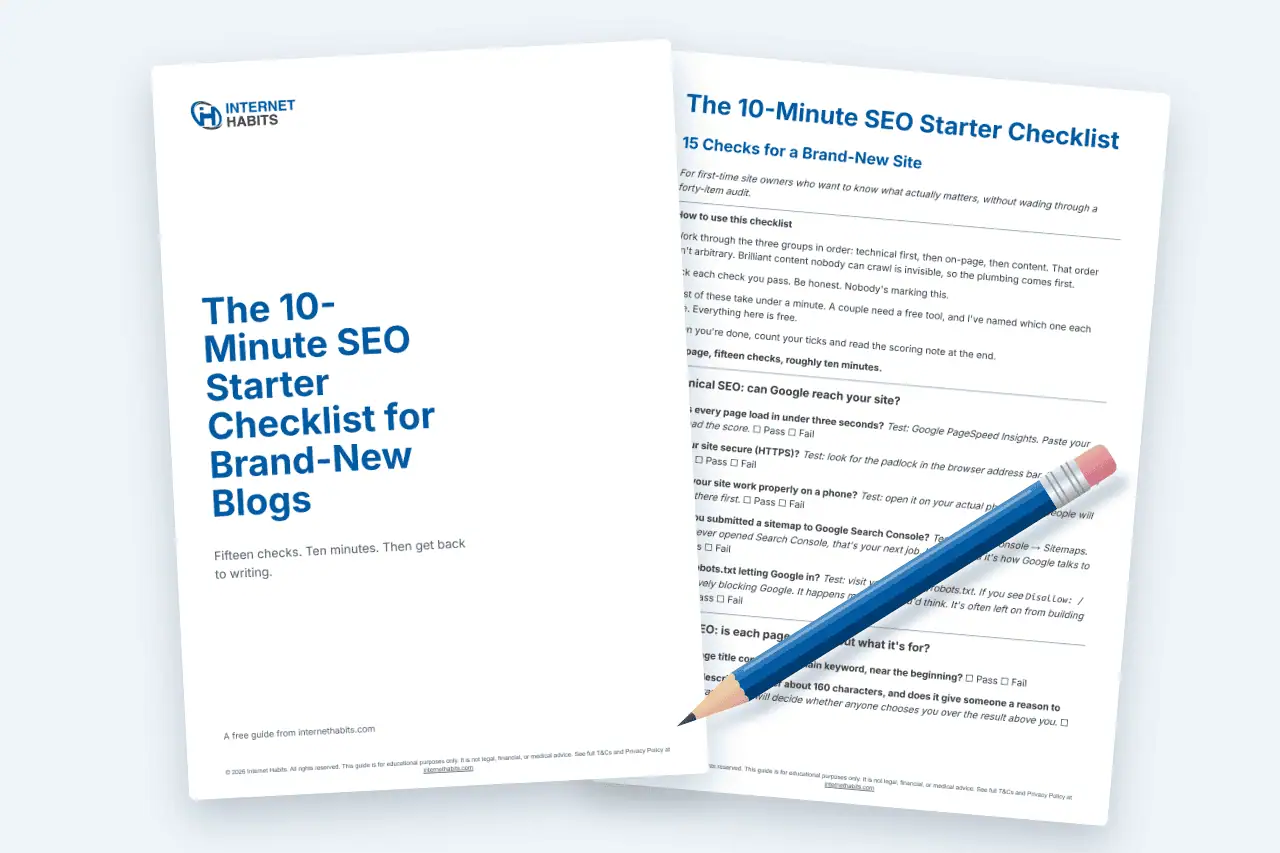
The 10-Minute SEO Starter Checklist for Brand-New Blogs gives you fifteen pass-or-fail checks: technical ones first, then on-page, then content. You score your page out of fifteen, and a short note tells you what to do next based on your score. It takes about ten minutes, and you won’t need to pay for anything along the way. Run one page through it and you’ll know what to fix first.
Put your email address in the form below, and I’ll send it over. There’s a separate box you can tick if you’d also like the newsletter. It’s optional.
The SEO Tools You Actually Need
You don’t need a stack of subscriptions to start, and I’d rather you didn’t buy one.
Free first:
- Google Search Console shows how Google sees your site: which pages are in the index, which searches bring them up and how many clicks they get.
- Google PageSpeed Insights tests a page’s speed and suggests fixes.
- Google Keyword Planner finds the words people search for. It’s free to use, though Google asks for an Ads account with billing details first.
- An SEO plugin, if you’re on WordPress. Yoast SEO has a free version, and it’s what I use on this site.
- An analytics tool. I use Independent Analytics on this site. Google Analytics works on any site.
To tell whether it’s working, start with the free numbers. Search Console shows how often your page came up in results and how often people clicked. It calls the first one impressions. Your analytics show who visited.
Those numbers line up with the three jobs. If a page isn’t showing up at all, it’s not getting found. If it shows up but sits low, it’s not ranking well. If it shows up often but few people click, it’s not getting clicked, so the title and description need work.
When you’re ready to pay for something, Semrush is the paid tool I use. On my online marketing tools and resources page, I describe it as “probably my favourite keyword research tool”. Ahrefs is another well-known option. Check each company’s own site for current prices rather than trusting a number from an article.
Pay when you hit a question the free tools can’t answer, not before.
I’ve left out the long list of other SEO tools on purpose. For a beginner, a longer list means more to learn before doing anything. The resources page above has a wider list when you want one.
Frequently Asked Questions
What is SEO in simple words?
SEO means making your website easier for search engines to find and more tempting to click, so more people visit it from the free results. It has three jobs: getting your pages found, getting them ranked for the right searches, and giving people a reason to choose your result.
How does SEO work?
Search engines find pages, file them in an index, then pick the most relevant ones to show when someone searches. SEO helps at every step: it makes your pages easy to reach, makes them the best answer to the search, and makes your result worth clicking.
How long does SEO take to work?
Google says some changes can show within hours while others take several months, and suggests waiting a few weeks before judging your work. If your site is brand new, I’d expect the slower end. Check Search Console on a set date rather than refreshing it daily.
Can I do SEO myself?
Yes. You can learn the basics yourself, and most of it’s free: set up Search Console, install an SEO plugin, write pages that match what people search for, and check they work on a phone. Paid help can wait until you know what you’d want it to do.
Is SEO free?
The visits are free, but you pay in time. The tools to start with, including Search Console, PageSpeed Insights and a free SEO plugin, cost nothing. Anything paid is optional, and prices change, so check each provider’s own site rather than relying on a figure in an article.
Is SEO still worth it with AI search?
Yes, though ranking alone is no longer enough. Pew Research found people clicked through less often when Google showed an AI summary, so getting people to click matters more than it did. Offer something a short answer can’t, such as first-hand experience, and people have a reason to visit.
What’s the difference between SEO and paid ads?
SEO earns a place in the free results and builds slowly. Paid ads buy a place on the page and stop the moment you stop paying. SEO costs more time than money, so if funds are tight, it’s the sensible place to start.
So, Which of the Three Jobs Comes First for You?
You came here asking what is SEO? The short version: it’s getting found, getting ranked and getting clicked, in that order. The last step is down to a real person deciding whether your page is worth a visit.
Which of the three jobs is your site weakest at right now?
If you’re not sure, the checklist will tell you in about ten minutes. It scores one of your pages, so you’ll know which job to fix first. Leave your email address below, and I’ll send you a copy.
If you’d like more of this in your inbox, subscribe to the Internet Habits newsletter. I usually send it weekly, and I try to keep every issue worth opening.
It’s the simplest way to hear when I publish something new, and you can unsubscribe whenever you like.
What’s your biggest question about SEO? Leave it in the comments, and I’ll do my best to answer.
Work Less & Make More,
Pete
P.S. Short on time? The 10-Minute SEO Starter Checklist for Brand-New Blogs scores one page of your site in about ten minutes. That’s one tea break, give or take.